Getting Started
From zero to digging in 4 steps.
Download
Grab the installer for your OS
Install
Run the installer and follow the steps
Open the DMG
Double-click the downloaded .dmg file. Drag Discogs Player into the Applications folder.
Launch from Applications
Open Discogs Player from Launchpad or the Applications folder. The app is signed and notarized by Apple — no Gatekeeper warnings.
Discogs Player is code-signed with a Developer ID certificate and notarized by Apple. The app includes automatic updates — you'll get a notification when a new version is available.
Connect your Discogs
Generate an API token and paste it in the app
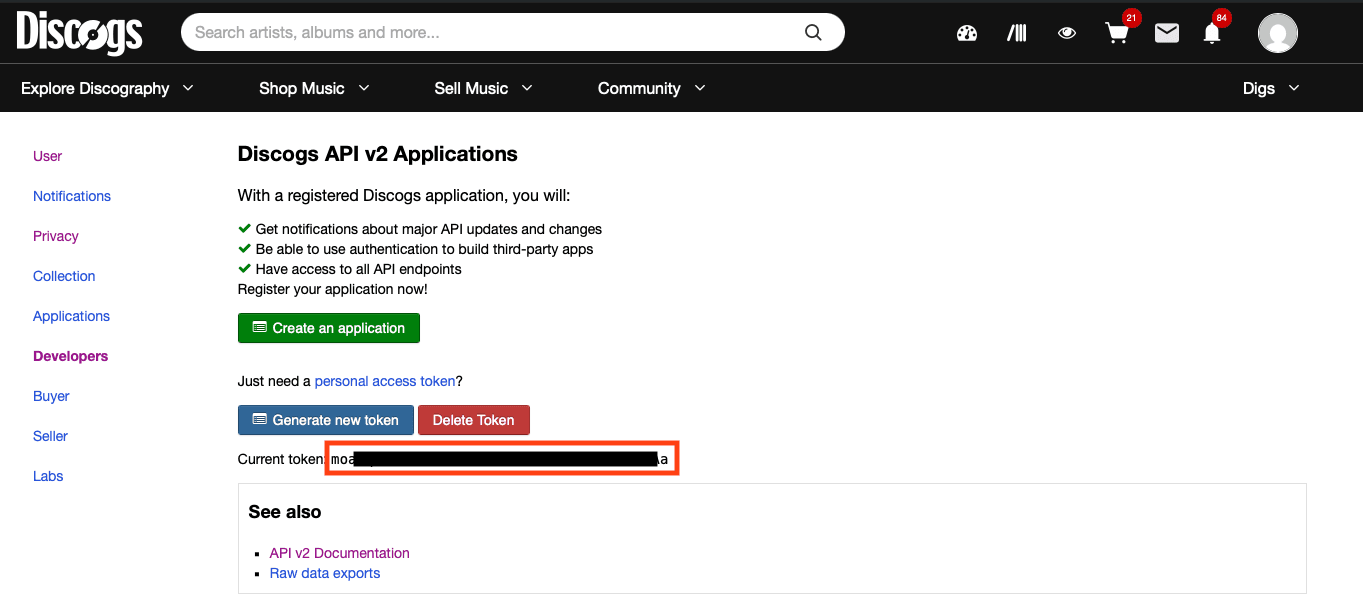
Generate a personal access token
Go to discogs.com/settings/developers and click "Generate new token". Copy the token.
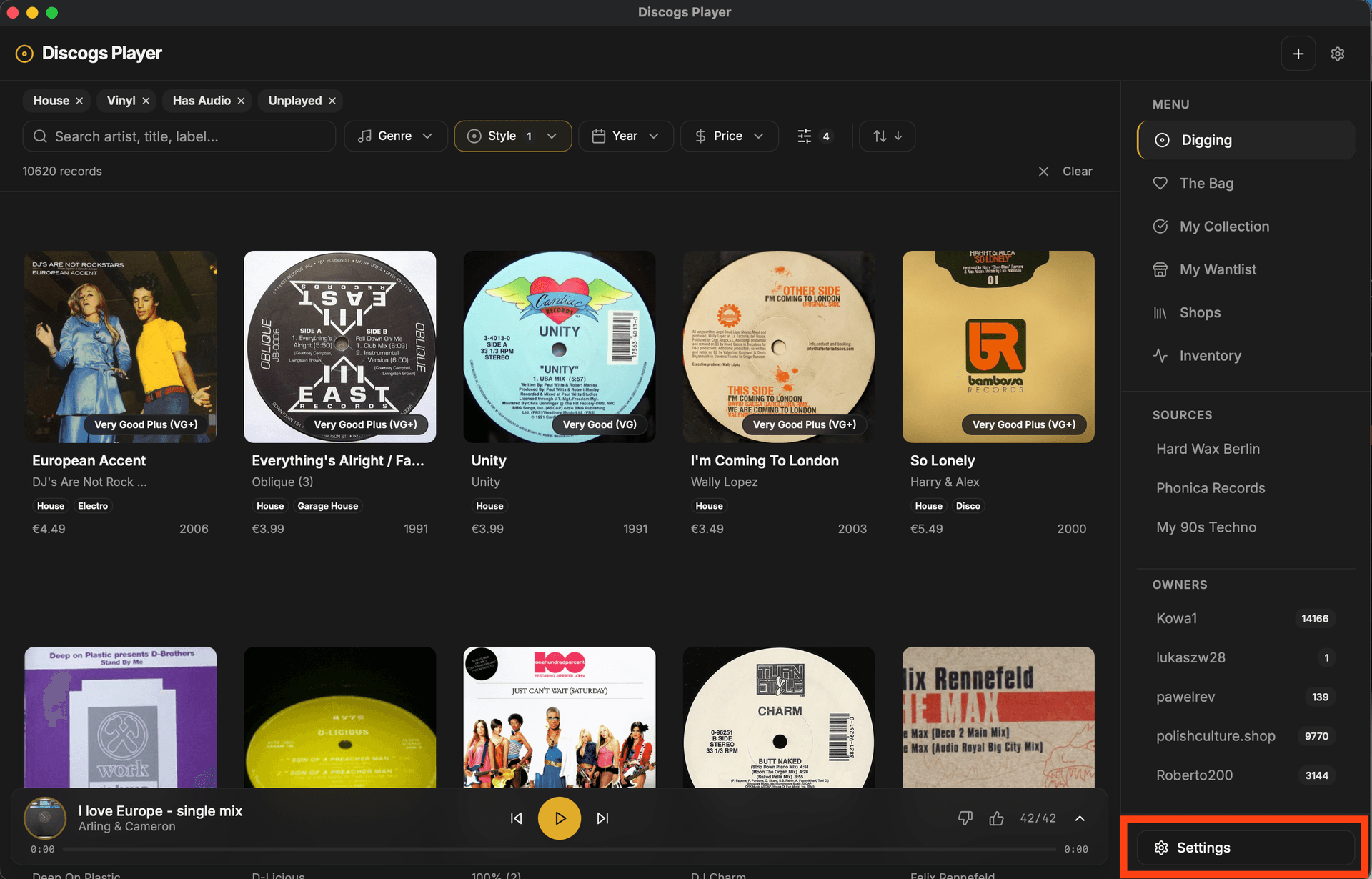
Open Settings in Discogs Player
Click Settings in the bottom-right corner of the app.
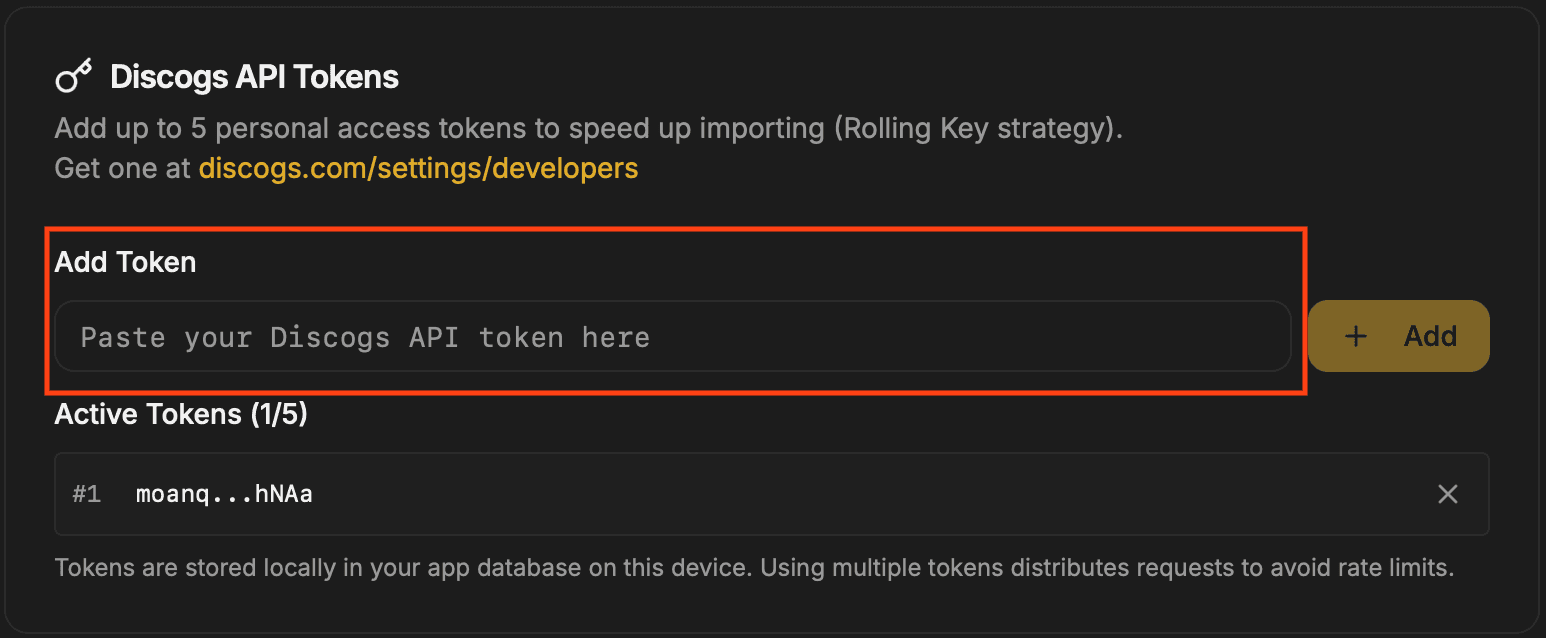
Paste your token
Find the "Discogs API Tokens" card, paste your token in the "Add Token" field, and click "+ Add".
Is my token safe?
Your token is stored locally in an encrypted database on your machine. It is never sent to any external server. You can revoke it at any time from your Discogs developer settings. You can add up to 5 tokens for better rate limit handling.
Get new records
Import a seller's inventory and start digging
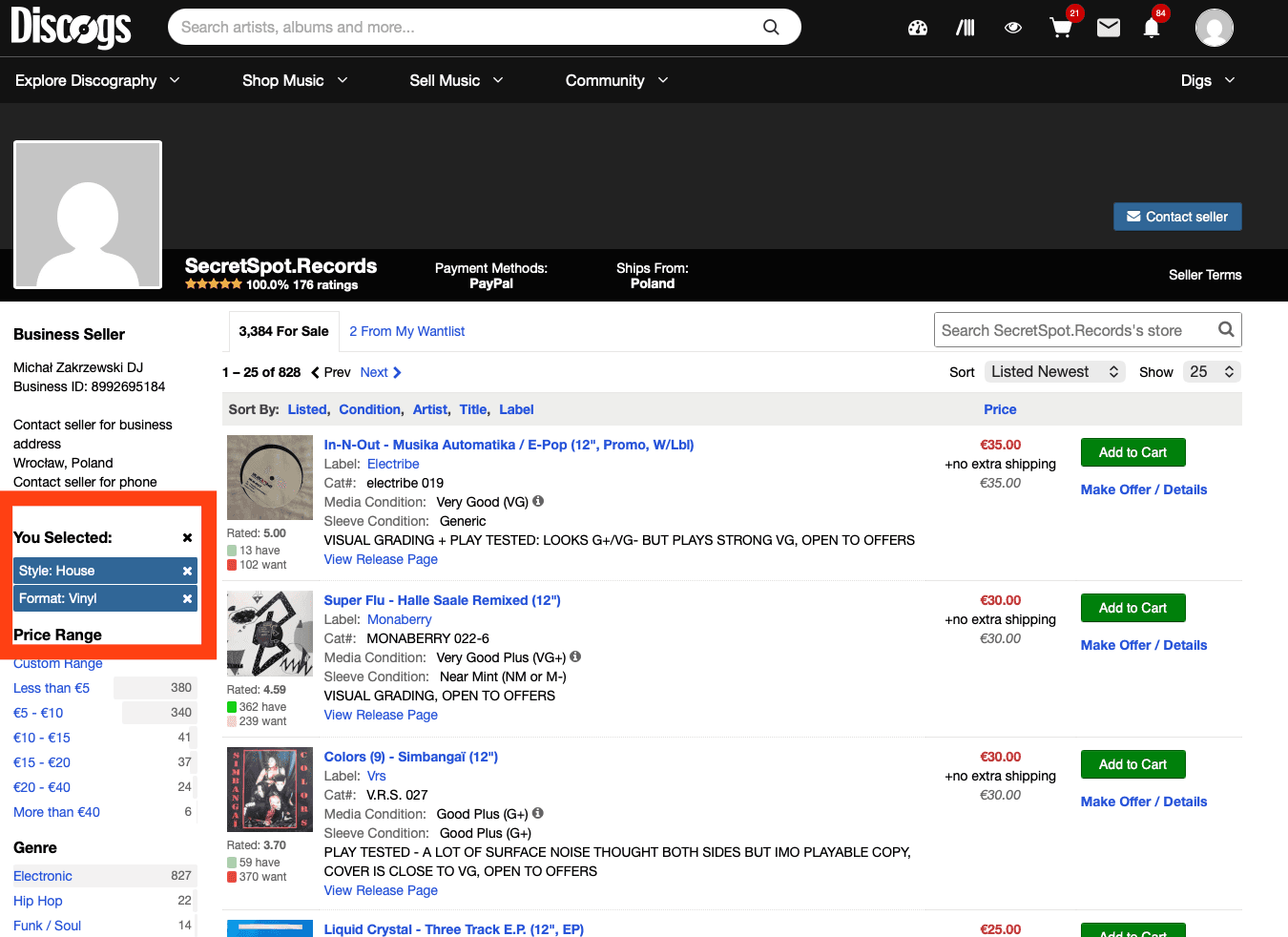
Find a seller on Discogs
Go to any seller's page on Discogs and copy the URL from your browser.

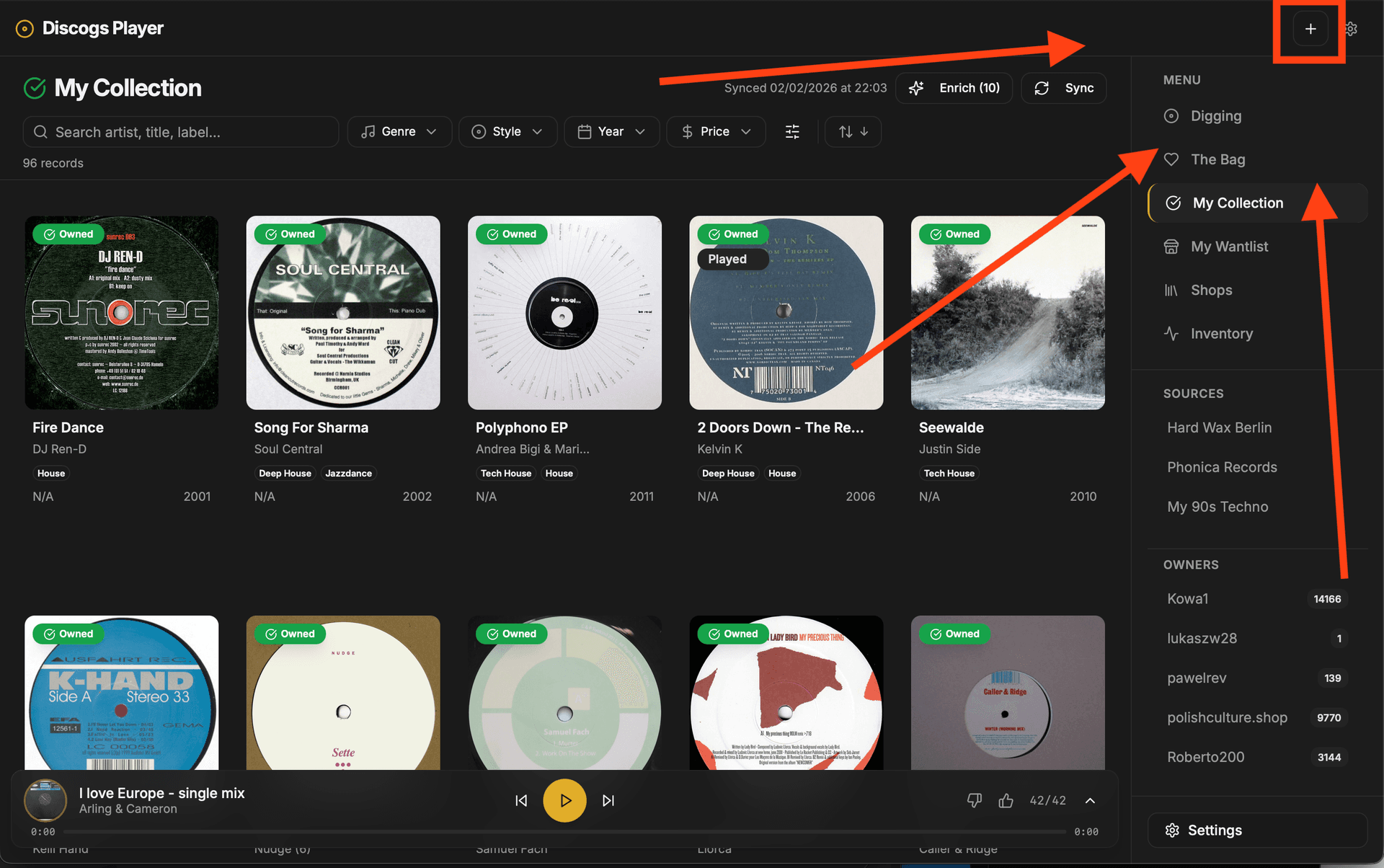
Click + to add a new seller
In Discogs Player, click the + button in the top-right corner.
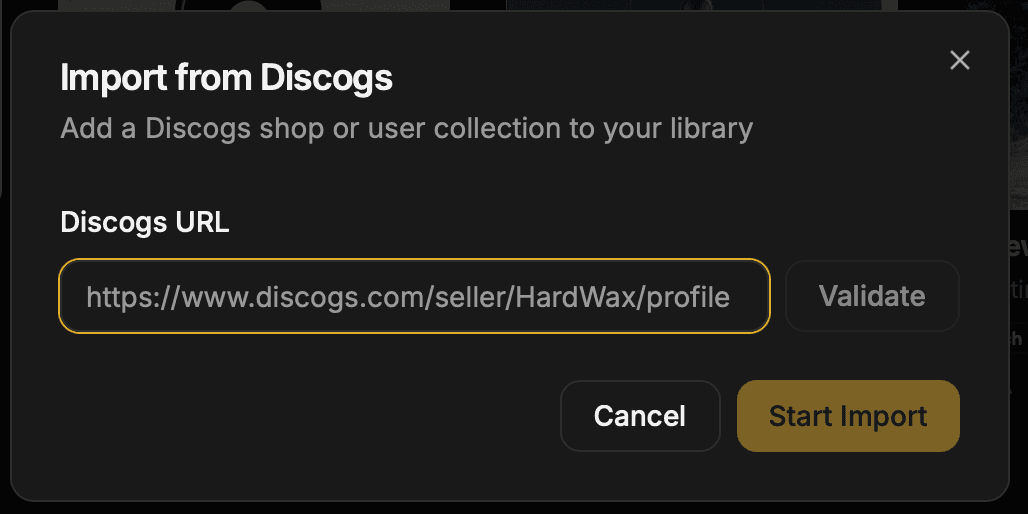
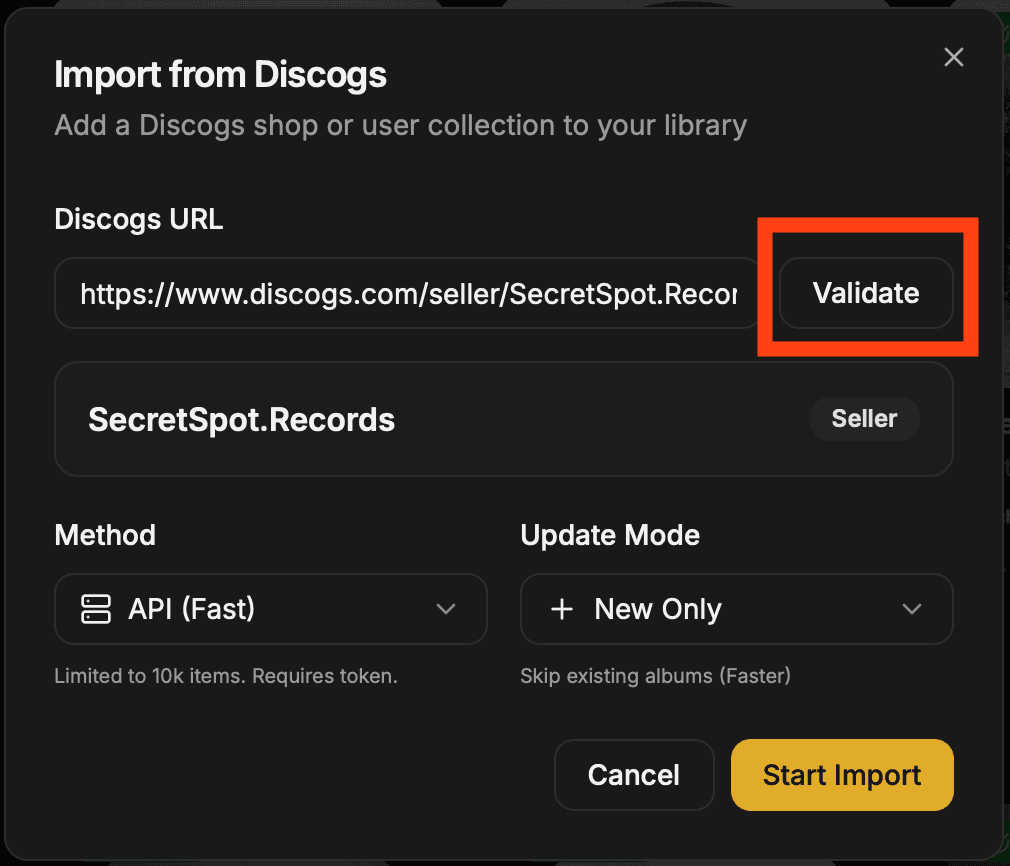
Paste the URL and import
Click the + button in the top bar. Paste the seller URL, click Validate, then hit Start Import.
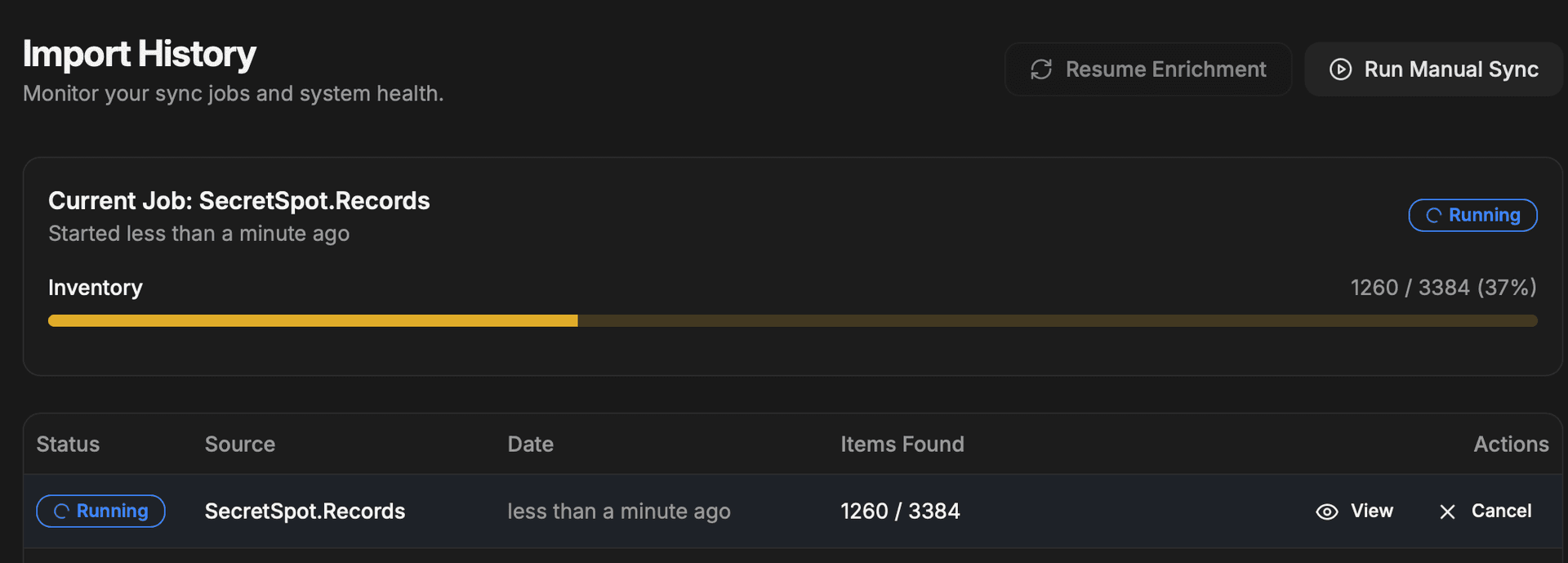
Watch the import progress
Go to Inventory to track the import in real time — progress bar, item count, and status.
Browse, filter, listen
Once imported, all records appear in Digging. Filter by genre, style, year, price, condition, and more. Click any album to listen via YouTube. Like or skip tracks. Build your shortlist in The Bag.
You're all set
Happy digging.
Join our DiscordQuestions, bugs, feature requests, or just want to chat with other diggers? We're here to help.